Calendar sync
Import busy times from Airbnb, Booking.com, VRBO or Google and share your own calendar link.
Calendar sync is on the page of a staff member or rental item, under Calendar sync.
Own calendar link
Click Create link and copy it. Add this link to Airbnb, Booking.com or Google Calendar: they show the busy times – without customer data. Create new link replaces the old one.
Import other calendars
- 1Copy the iCal link from Airbnb, Booking.com, VRBO or Google Calendar.
- 2Enter a name and the link under Import other calendars and click Add calendar.
- 3Bookique imports the events and blocks these times. It updates every 15 minutes; Sync now imports at once.
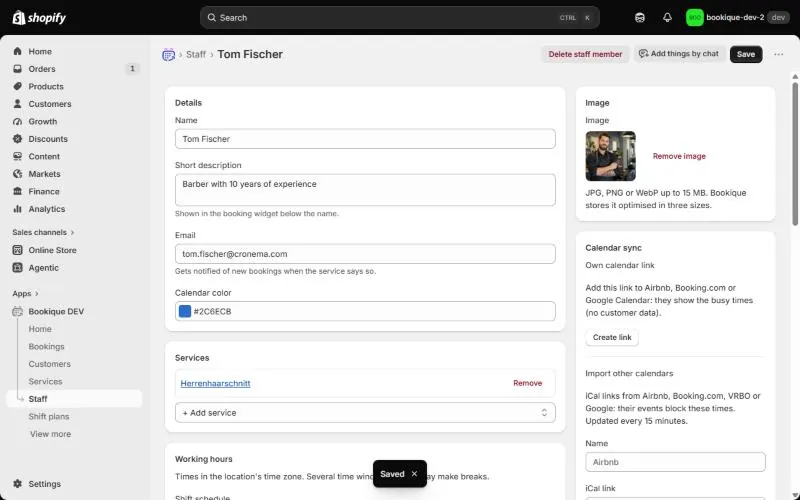
Screenshots show the app in English.
Need help?
Write to support@cronema.com – we answer in English and German.