Location, time zone and language
Set the address, time zone, time format, customer language, cancellation rules and closed days.
Open Settings in the Bookique menu. These settings apply to the whole store: they decide how times look in the widget and in emails and when customers may change their bookings.
Location
Name and address appear in booking confirmations and in the booking widget. Enter the country as a two-letter ISO code, for example US or DE.
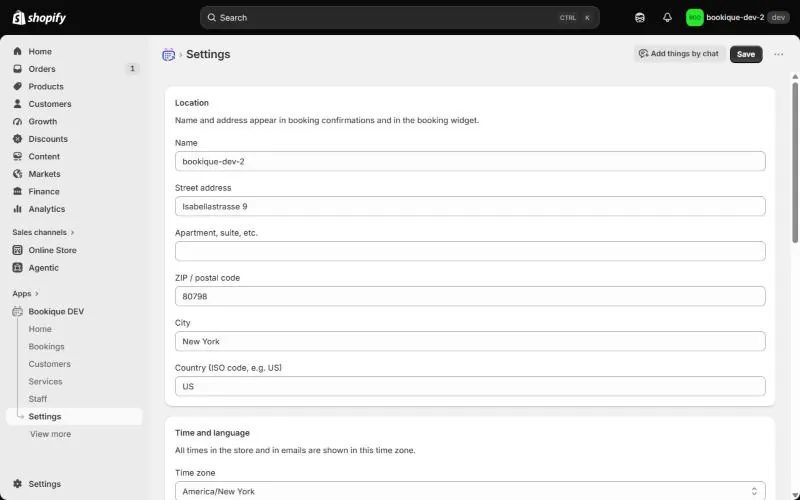
Time and language
- Time zone – all times in the store and in emails are shown in this time zone. Working hours are entered in it as well.
- Time format – 24-hour (14:30) or 12-hour (2:30 PM). The preview shows how a time will look.
- Customer language – the language of booking emails and the default for the widget. Bookique speaks 18 languages.
- Week starts on – Sunday or Monday in calendars.
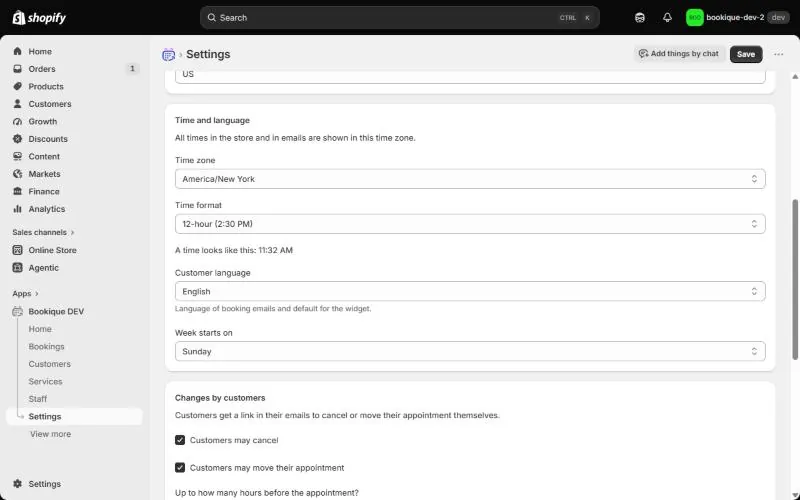
Changes by customers
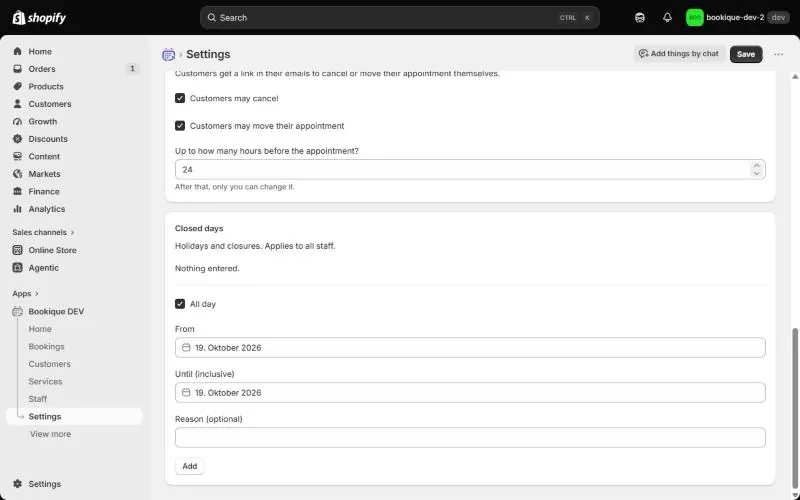
Customers get a link in their emails to cancel or move their appointment themselves. Switch on Customers may cancel and Customers may move their appointment and set Up to how many hours before the appointment? After that time only you can change the booking.
Closed days
Enter holidays and closures under Closed days. They apply to all staff and items. Choose All day or a time range, the dates and an optional reason, then click Add.
Screenshots show the app in English.
Need help?
Write to support@cronema.com – we answer in English and German.