Languages and translations
Bookique speaks 18 languages; change any text customers see.
The admin, the widgets, the landing pages and the emails are available in 18 languages. The customer language under Settings decides the language of emails and the default of the widget.
Under Translations you change the texts customers see in your store, per language: booking widget, ticket box, landing pages, manage booking and cart. Choose the language, search for a text and enter your own. Empty = default text. Keep placeholders like {n}.
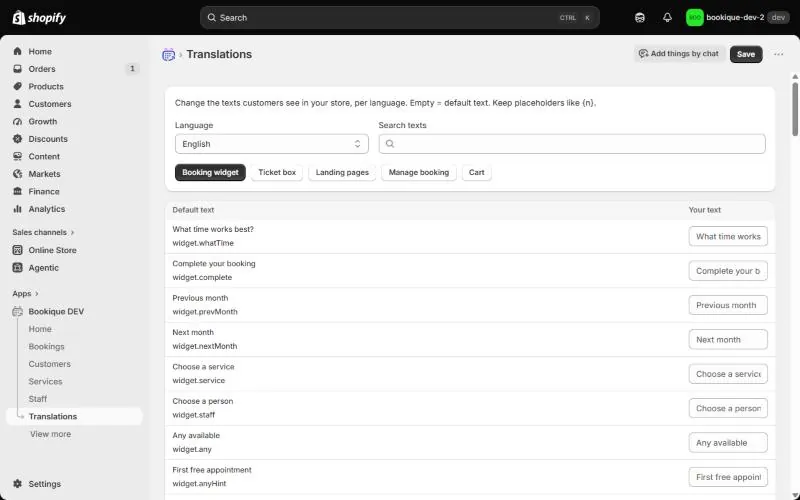
Screenshots show the app in English.
Need help?
Write to support@cronema.com – we answer in English and German.