How customers book
The booking flow in the store: service, date, time, form, payment and confirmation.
This is what your customers see in the store. Bookique calculates the free times on the server – after working hours, time off, buffers and existing bookings – so no time can be booked twice.
- 1The customer chooses a service (and, depending on the setting, a staff member or “any”).
- 2A calendar shows the days with free times. After choosing a day, the free times appear in the shop's time zone.
- 3The customer fills in the form: name, email, phone if required, and your own questions.
- 4With checkout payment the booking goes into the cart and is reserved for 15 minutes; otherwise it is booked directly.
- 5The customer gets the confirmation on screen and by email, with a link to manage the booking.
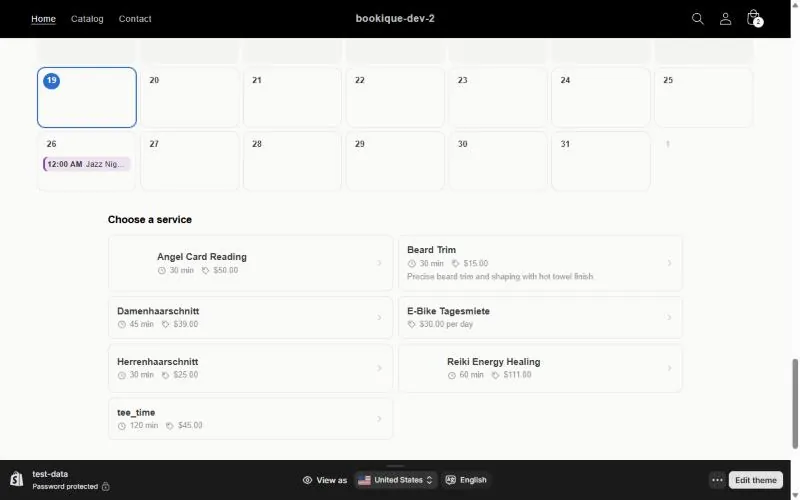
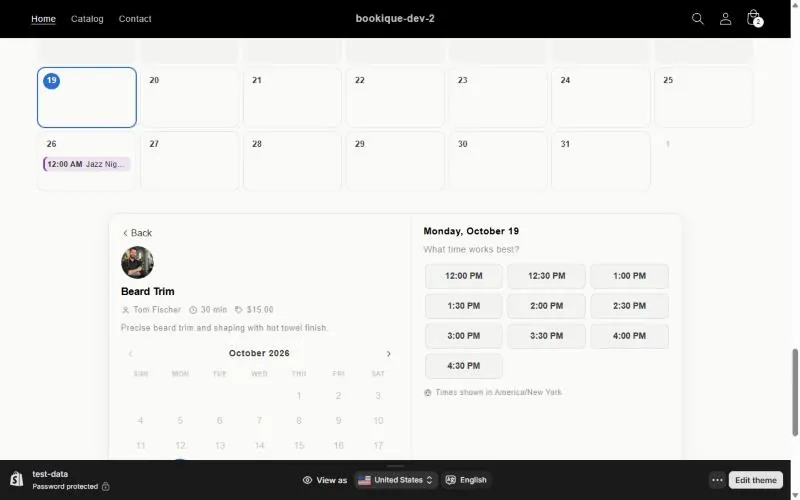
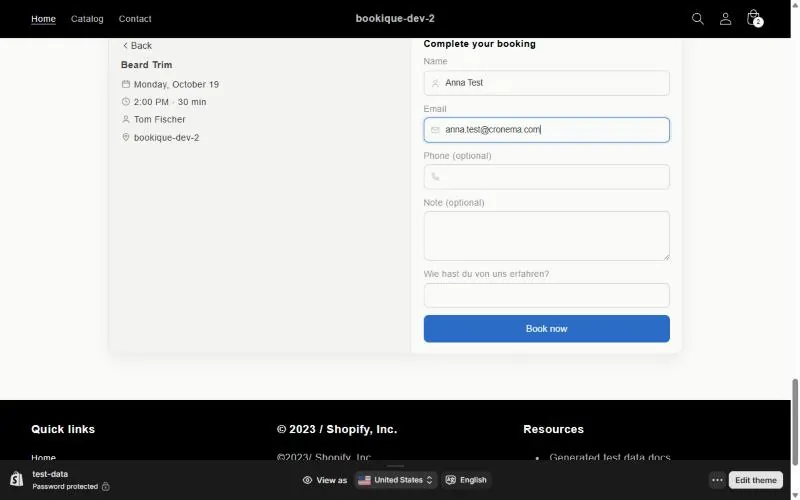
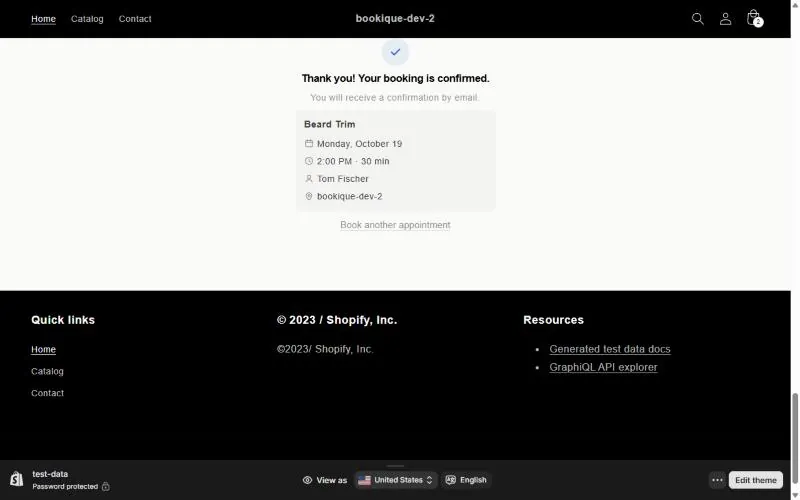
Screenshots show the app in English.
Need help?
Write to support@cronema.com – we answer in English and German.